Creating AI images and turning them into videos is now very easy with Hailuo AI. It offers access to different AI models, which you can use for your requirements. The best part, it has a free trial also so you can try it before subscribing to its paid plan.
Hailuo AI turns a single reference image into fully animated videos. No editing, animation, or VFX skills needed. Works for flying scenes, cinematic motion, fantasy, dance clips, and more.
How to Use Hailuo AI Video
First of all, open its website www.hailuoai.video, or you can access it through its mobile app. Then follow the steps given below to generate images and videos with AI.
Step 1: Upload Your Face Photo
- Go to Image Generate → Upload.
- Use a clear portrait with good lighting.
Step 2: Describe Your Scene
Type the prompt describing the image you imagine to create. Examples: the person flies through clouds, walking through neon city at night, etc.
Step 3: Generate Multiple Images
- Select the number of images you want to generate.
- Click “Generate”, and images will be ready.
Step 4: Convert the Image to Video
- Now choose the image that you want to make a video from.
- Click on the ‘Video It’ option, and then go to the Video Generation panel on the homepage.
- Describe the camera movements in the prompt area, and other features you want in the video. Like, camera zooms in slowly, close-up shot, tracking shot, etc.
Step 5: Select Video Model & Generate
Hailuo AI offers different video generation models, and it gives you options to get different styles of AI videos.
Choose VO3, Sora 2, or Hailuo AI model, then select the video quality, aspect ratio, and the number of videos and then click on Generate. Your video will be ready in a few seconds.
AI Image Prompts
(Use these in the Image Generate step)
Flying / Superpower: A person flying above mountains, sunset sky, dramatic clouds, and realistic detail.
Nature / Travel: A person standing on a cliff above clouds, cool morning light, epic atmosphere.
Sci-Fi / Futuristic: A person in a neon hologram city, glowing lights, futuristic ambience.
Urban / Realistic: A person walking through a busy street market, warm light, handheld film look.
Image Prompt: The person is standing at the door of an aeroplane to jump from it for skydiving. He is wearing a white T-shirt and blue jeans. Wide-angle view, so that the full aeroplane and the person are both completely visible.
Video Prompt: The person jumps from the airplane for skydiving. wide angle view, camera zooms out.
Video Motion Prompts
(Use these in the Video panel)
Make me fly like a superhero with a dramatic sky. dolly-out, soft cinematic glow, smooth motion.
Wide aerial sweep, slow dolly-out, soft light flares, smooth cinematic glide.
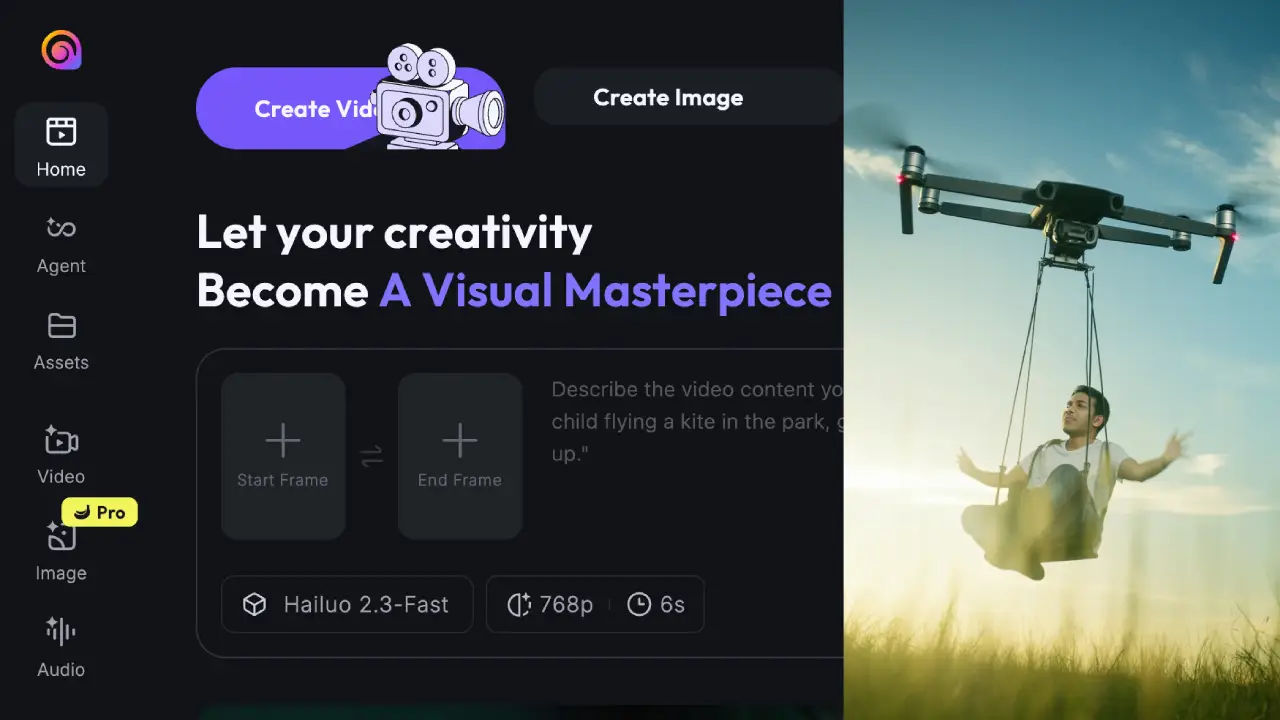
Image Prompt: The person in the attached image is sitting on a modern swing attached to a big drone. The scene starts with the drone taking off from the ground, and then flying in the sky.
Video Prompt: The drone is flying above, and the camera zooms out.