AI video creation is booming, but most tools still require complex prompts.
Higgsfield changes that completely with its different apps.
It gives you ready-made templates integrated with Nano Bananas and different video AI models, where you simply upload a photo and recreate a trending video.
No heavy prompt writing. Just fast, aesthetic videos perfect for Instagram Reels and Shorts.
Here’s the step-by-step guide to creating AI character videos using your photo with Higgsfield apps. No prompts required to recreate using the templates.
Make Trendy AI Videos with Higgsfield Apps
Higgsfield apps offer one-click AI effects that transform any content into professional ads, viral trends, or artistic masterpieces.
These apps are actually templates where you just need to upload your photo, and your video will be generated instantly.
Here’s the full process, using the Urban Cut template.
Step 1: Visit the Website
Go to https://higgsfield.ai
Step 2: Open the “Apps” Section
Click on Apps from the top navigation bar.
Step 3: Explore Nano Bananas Templates
You’ll see four ready-made templates under the Nano Bananas category.
Choose Urban Cut for a trending cinematic look.
Step 4: Upload Your Photo
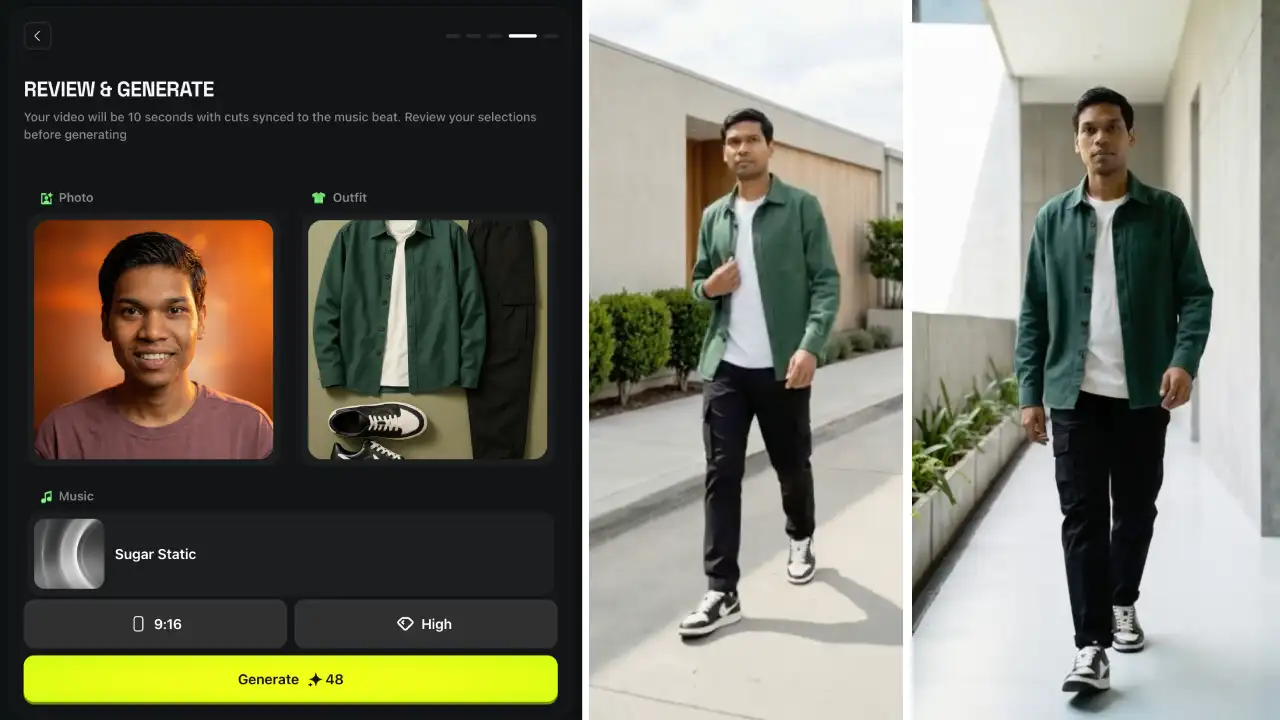
Click Upload → Select a clear portrait with good lighting.
Step 5: Pick an Outfit
Choose any outfit style from the given presets.
Step 6: Add Music
Click Music, then select a soundtrack that fits your vibe.
Step 7: Generate the Video
Click Generate or Create. Your video will render automatically! No prompts required.
Higgsfield makes AI video creation simple, fast, and beginner-friendly.
With ready-made templates like Urban Cut, Click to Ad, and ClipCut, you can generate cinematic AI reels in under 30 seconds using just one photo, no heavy prompts needed.
If you’re a creator, influencer, or someone who loves experimenting with AI visuals, this tool is a must-try.